Features

Eiman Khidmat

Serve others using your skills. Turn your expertise into meaningful help.

×

Accessing Eiman Khidmat

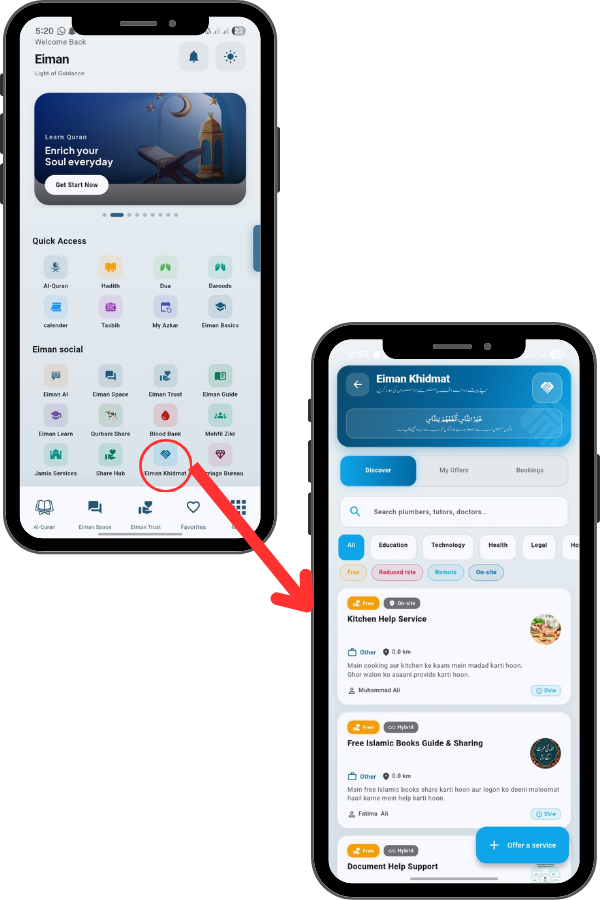
From the Main Menu, locate and tap the Eiman Khidmat icon. This is a community service marketplace where you can offer or find help. Tap the icon to open the platform.

88
89

Viewing Service Details

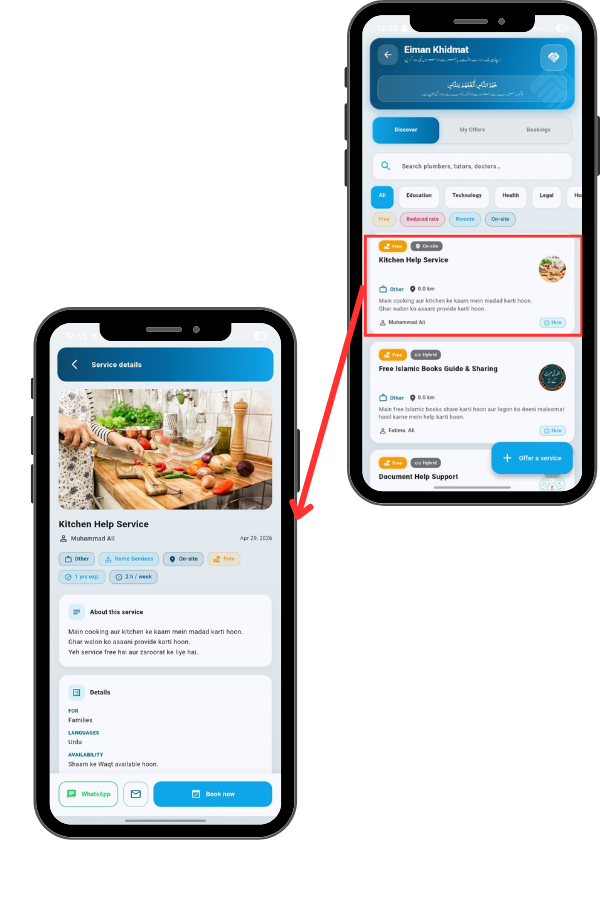
Tap on a specific service card. You can see the provider’s name, their experience (e.g., 1 yrs exp.), and availability (2 h / week).

The About this service section explains exactly what they offer, and the Details section lists languages spoken and target audience.

Booking a Service

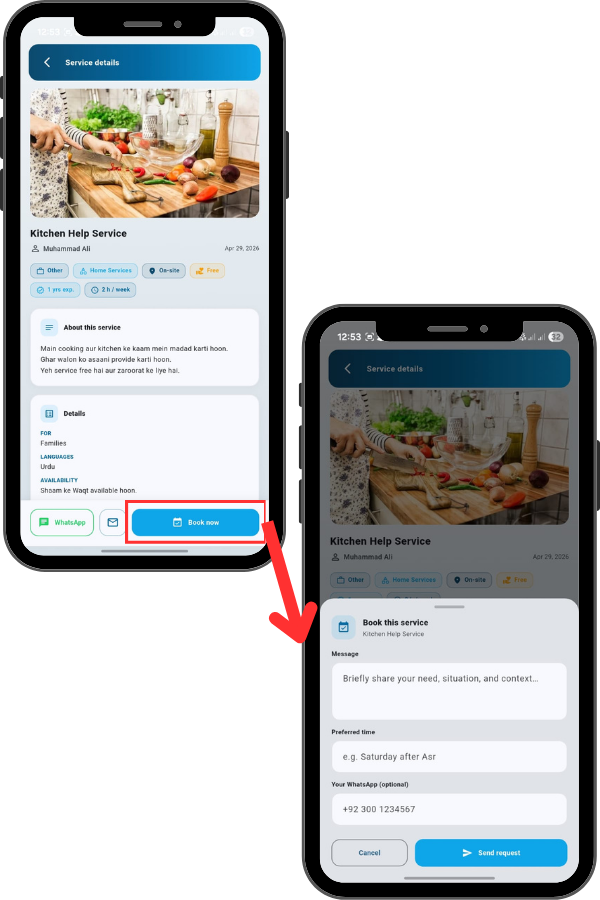
Tap the “Book now” button. A form will pop up. In the Message box, briefly explain your situation. Enter your Preferred time (e.g., ‘Saturday after Asr’) and your WhatsApp number. Then, tap ‘Send request’ to contact the provider.

90
91

Offering a Service

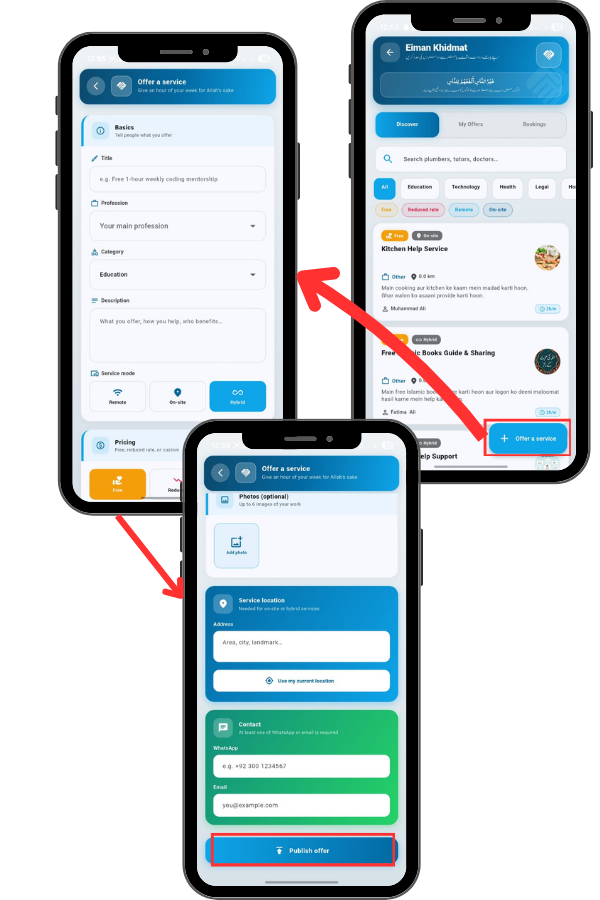
Once you tap ‘Offer a service’ , you’ll start with the Basics. Enter a clear Title for your service, like ‘Free coding mentorship’. Select your Profession and Category (e.g., Education, Health). Write a Description explaining exactly what you offer and who benefits. Finally, choose your Service mode: Remote (online), On-site (in-person), or Hybrid. Under Pricing, you have three options to support the community. Select Free if you are volunteering your time for Allah’s sake. Choose Reduced if you want to charge a lowerthan-market rate, or Custom for standard pricing. Once all fields are filled, review your information and tap the blue ‘Publish offer’ button. Your service will go live on the Discover page, allowing people in need to find and book your help!