Features

Daroods

Read and manage Durood easily with Eiman.
Build consistency in sending blessings upon the Prophet ﷺ.

×

Accessing Daroods

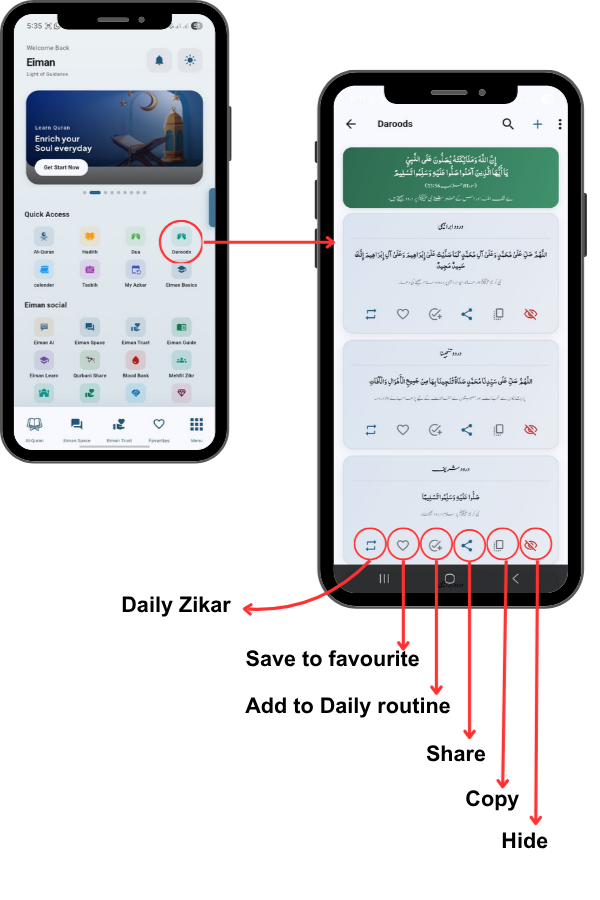
From the Main Menu, tap on the Daroods icon in the Quick Access
section.
Next, let’s look at the Daroods section. Tap the icon to open a collection
of Durood Shareef, including Darood Ibrahim, Darood Tajina, and
Darood Shareef. Below each card, you have quick actions to Favorite
(heart icon), Share, or Copy the text.

27
28

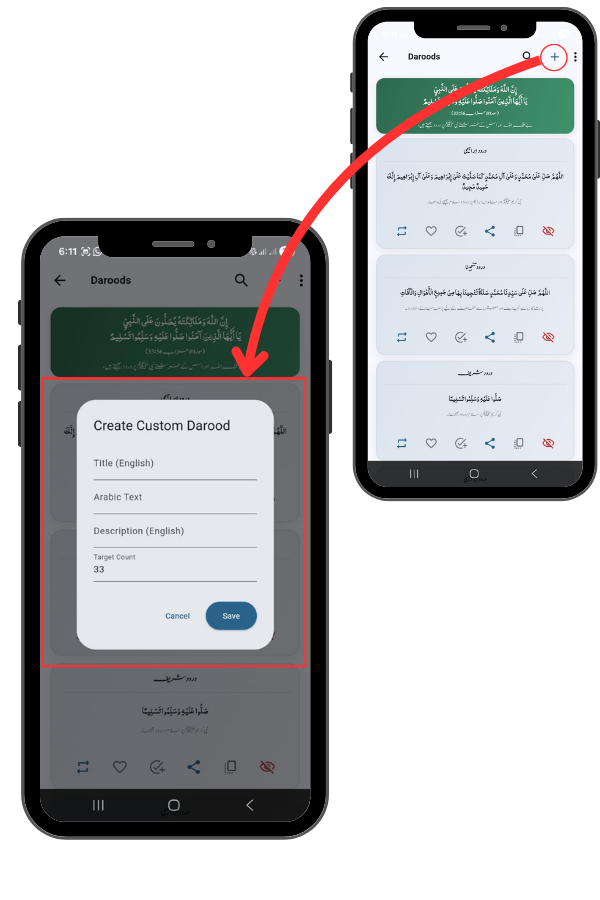
Creating a Custom Darood

Tap the Plus (+) icon in the top right corner.
If you want to add a specific Darood that isn’t
listed, tap the Plus (+) icon at the top right. This
opens the ‘Create Custom Darood’ screen.
Here you can enter the Title, paste the Arabic
Text, add a Description, and set a Target Count
(default is 33). Tap Save to add it to your list.

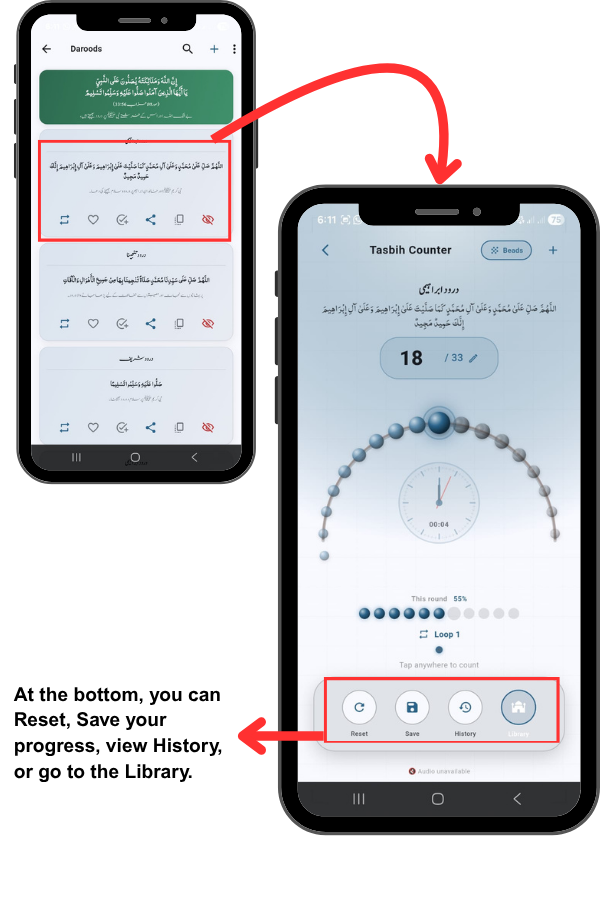
Using the Tasbih Counter

Tap on a Darood card (e.g., Darood Ibrahim).
To start reciting, tap on any Darood. This opens
the Tasbih Counter. You will see a digital
representation of prayer beads. The app tracks
your count (e.g., 18 out of 33) and includes a
timer. You can simply tap anywhere on the
screen to increment the count.

29
30

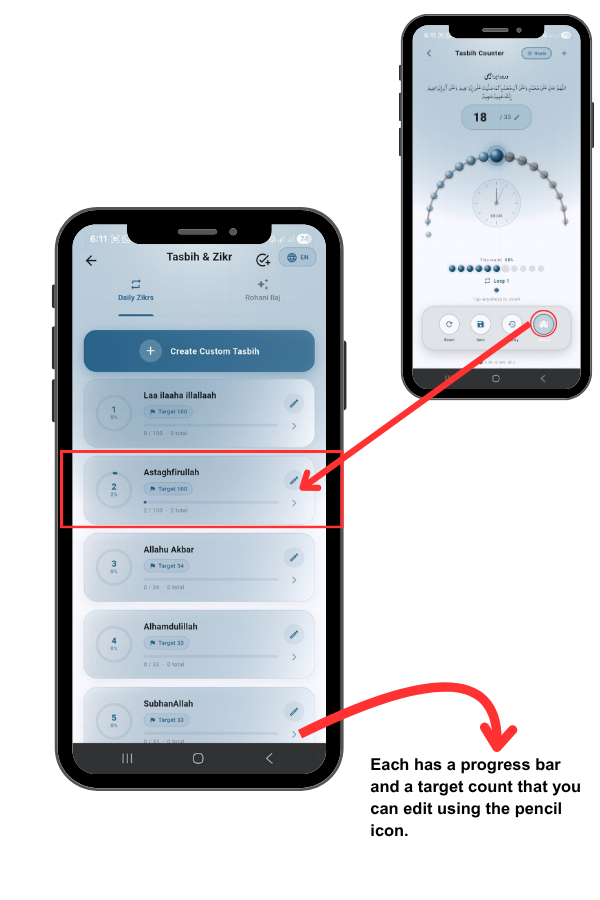
Exploring the Tasbih Library (Daily Zikrs)

Tap the Library button (bottom right of the counter screen).
Tapping Library takes you to the main Tasbih & Zikr hub.
Under the ‘Daily Zikrs’ tab, you will find a pre-set list of
common remembrances like Laa ilaaha illallaah and
Astaghfirullah.

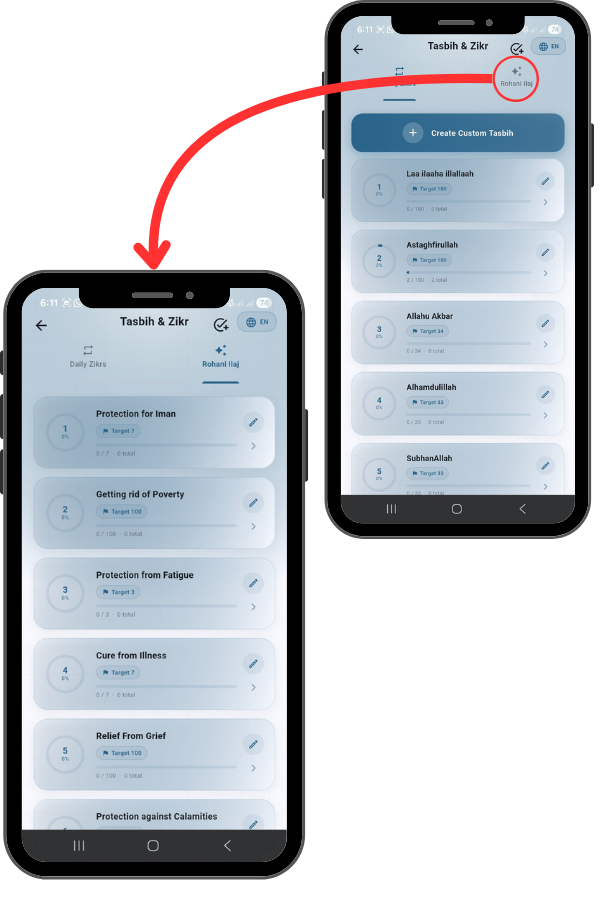
Rohani Ilaj (Spiritual Remedies)

Tap the Rohani Ilaj tab at the top right.
Finally, switch to the ‘Rohani Ilaj’ tab. This
section provides specific Zikrs for spiritual
healing and life challenges. You will find
remedies for Protection of Iman, Getting rid
of Poverty, Protection from Fatigue, and
Cure from Illness, each with a recommended
target count.

31