Features
Eiman Learn
Expand your Islamic knowledge step by step. Structured learning for growth and understanding.
Accessing Eimaan Learn
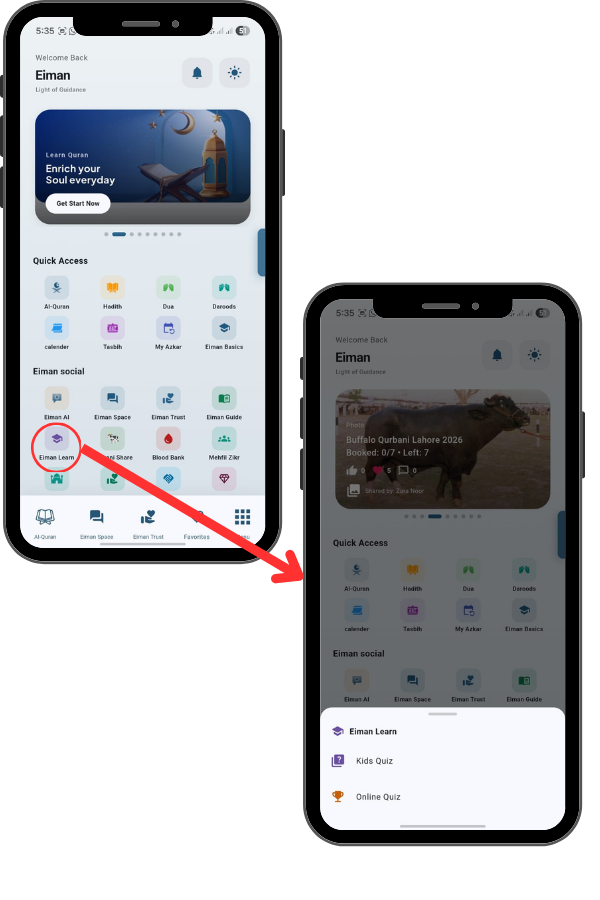
From the Main Menu, scroll down to the “Eiman Social” section and tap on the Kids Quiz icon This opens the Eiman Learn menu where you can select the quiz mode.
Kids Quiz
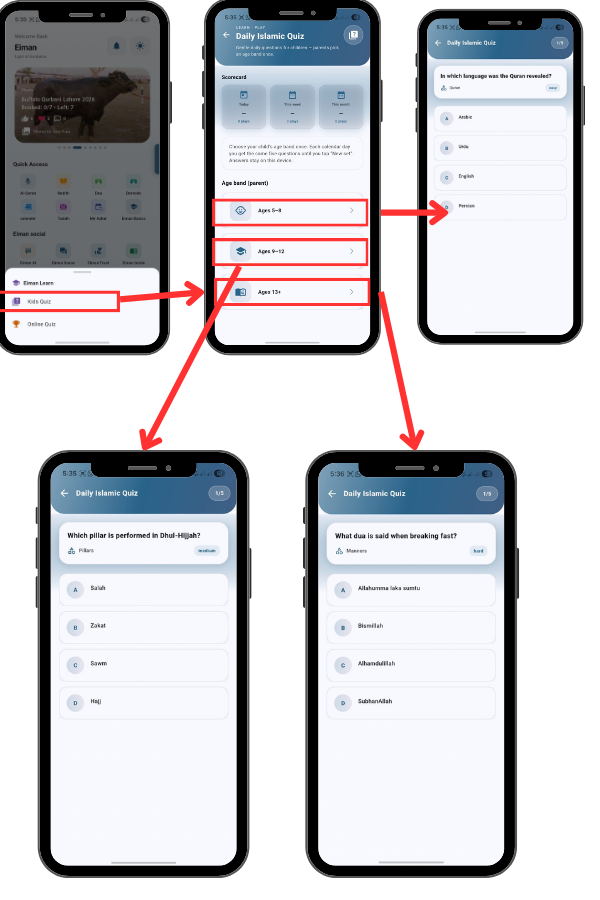
On the Daily Islamic Quiz screen, the first step is to set the difficulty level.
Under “Age Band (Parent)”, you can select the appropriate age group for the child:
- Ages 5–8
- Ages 9–12
- Ages 13+
This ensures that the quiz questions are suitable for the child’s understanding level.
Online Quiz
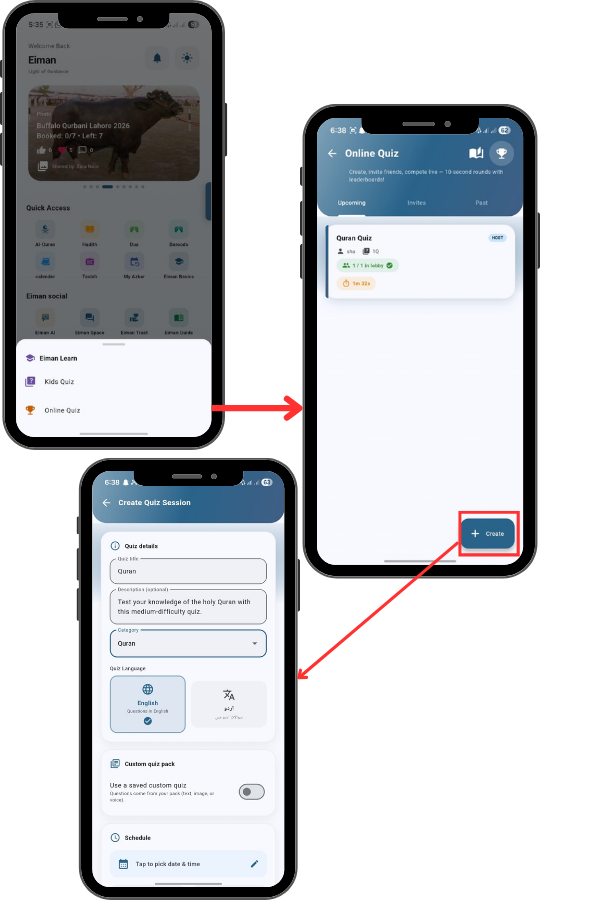
From the Main Menu, scroll down to the “Eiman Social” section and tap on the Kids Quiz icon This opens the Eiman Learn menu where you can select the quiz mode.
On the main screen, you will see three tabs: Upcoming, Invites, and Past. If you don’t see any quizzes listed, it means there are no scheduled games yet.
You can either wait for a friend to invite you or host your own session.
Starting the Quiz
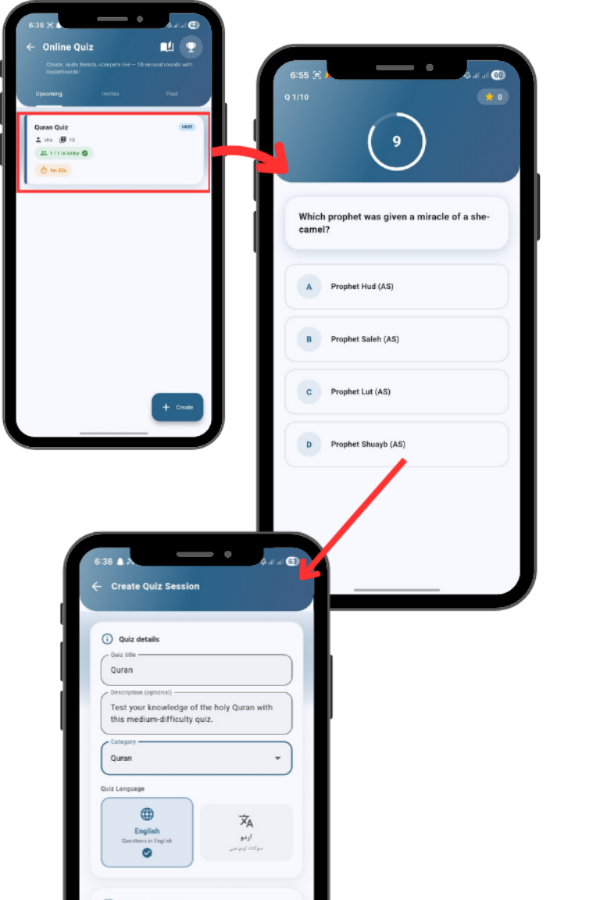
Once you have created the quiz, you enter the Lobby. Wait for participants to join (you will see their names listed). When ready, tap the blue ‘Start Quiz Now’ button to begin
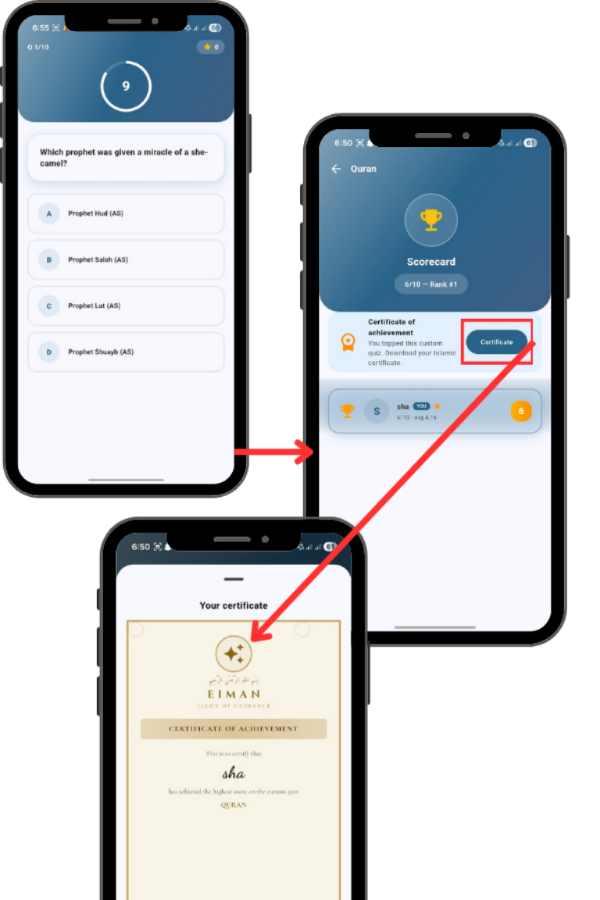
Quiz Results & Certificate
Once you finish the quiz, your Scorecard appears showing your score (e.g., 6/10) and your Rank. If you topped the quiz, you’ll see Rank #1. If you achieved the highest score, a Certificate of Achievement section appears. Tap the Certificate button to view your personalized Islamic certificate with your name, quiz topic, and score.