Features

My Azkar

Build and manage your daily zikr routine.
Stay consistent with your personal remembrance goals.

×

Accessing Daily Azkar

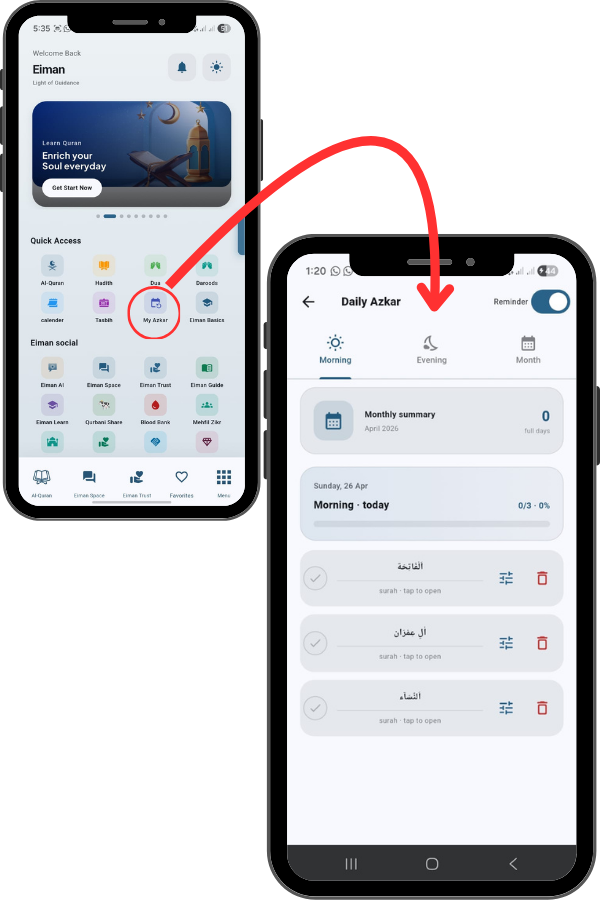
From the Main Menu, tap on the Daily Azkar icon.
At the top, you will see three tabs:
Morning, Evening, and Month. The Morning tab lists the Surahs and Zikrs
you have scheduled for the morning, while the Evening tab shows your
evening routine. You can switch between them to manage your scheduleAt
the top, you will see three tabs: Morning, Evening, and Month. The
Morning tab lists the Surahs and Zikrs you have scheduled for the
morning, while the Evening tab shows your evening routine. You can
switch between them to manage your schedule.

40
41

Managing Your Daily List

In the list, you will see your added Surahs or
Zikrs. Next to each item, there are three useful
icons:
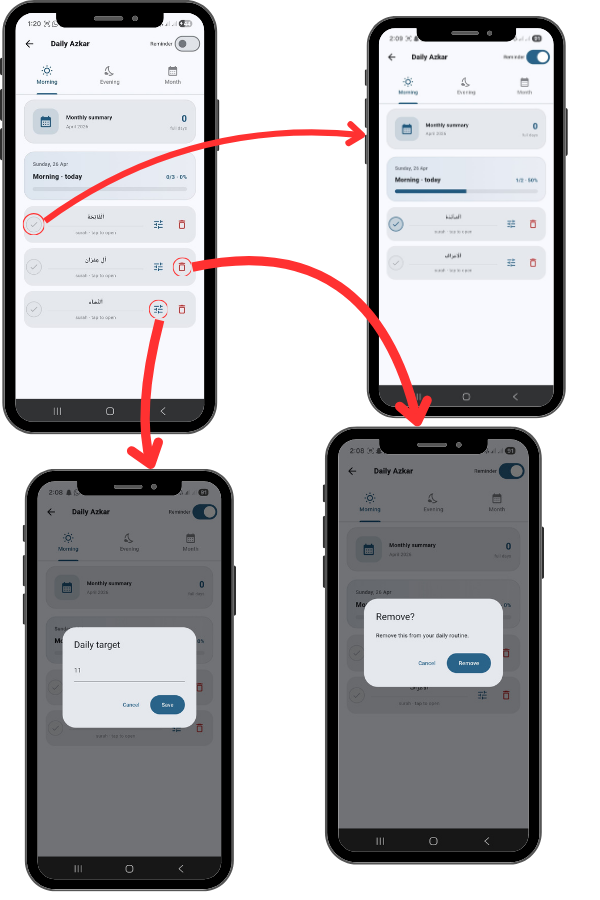
Check Circle: Tap this to mark the recitation
as complete for the day.
Sliders Icon: Tap this to edit the settings or
details of that specific entry.
Trash Can: Tap this to delete the item from
your daily routine if you no longer wish to
track it.

Setting Reminders

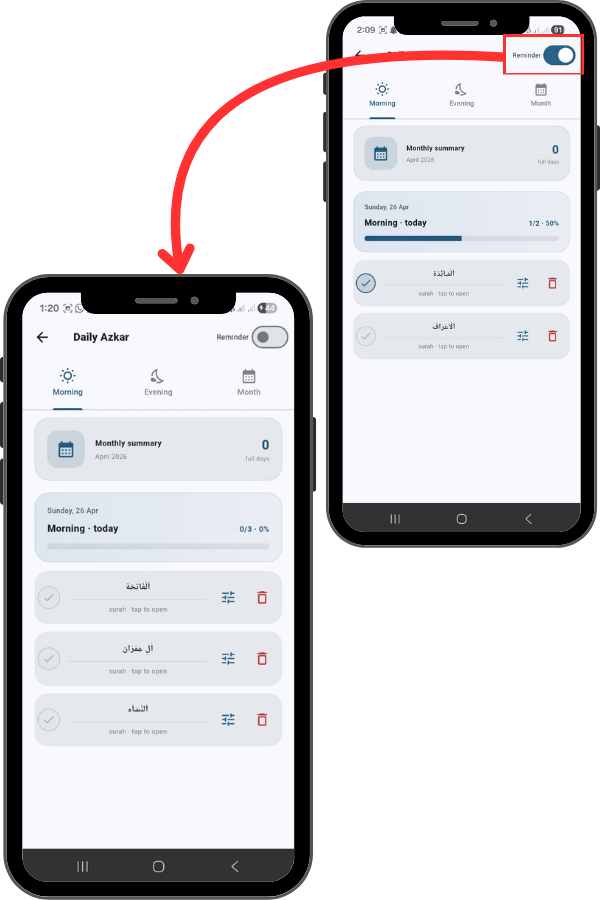
Finally, at the very top right, you will see a Reminder toggle.
Make sure this is turned ON (blue) to receive notifications
reminding you to complete your Morning and Evening Azkar
so you never miss a day

42