Features

Share Hub

Share what you don’t need with others. Help those in need around you easily.

×

Accessing Share Hub

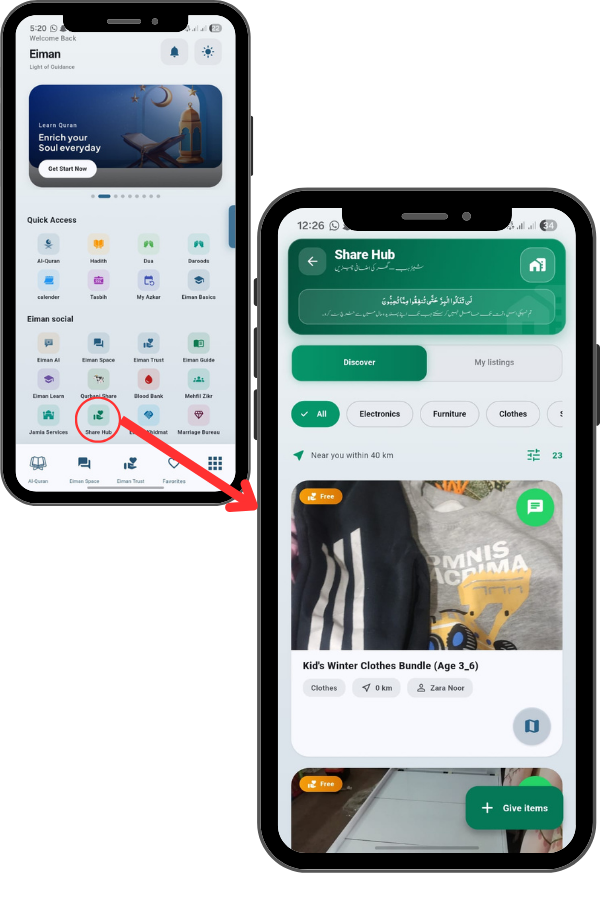
From the Main Menu, locate and tap the Share Hub icon. This is a community marketplace for giving away items for free to those in need. Tap the icon to open the hub.

84
85

Viewing Item Details

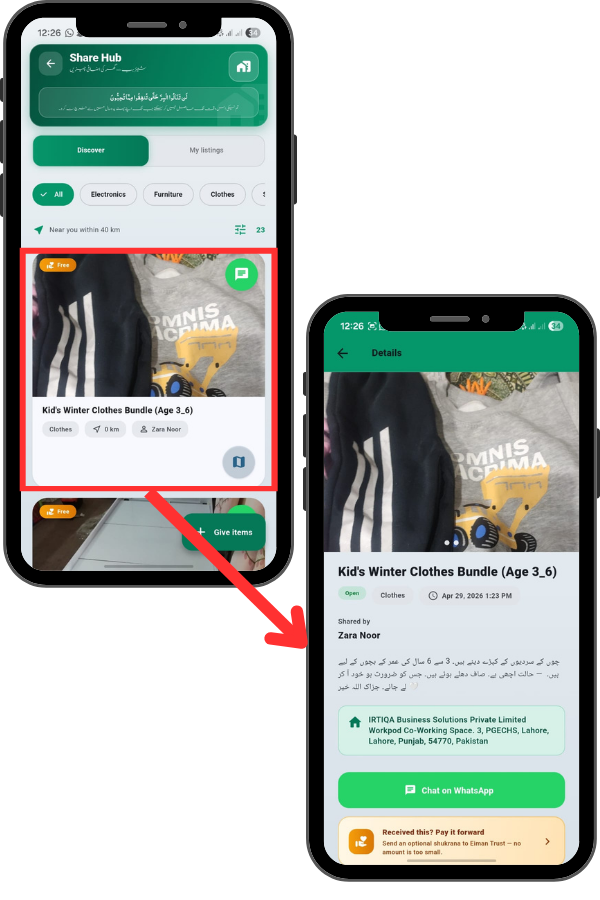
Tap on any item to see the Details. You will see photos, the Title, and a Description in Urdu or English. Crucially, it shows the Pickup Location and who shared it.

At the bottom, a green button allows you to ‘Chat on WhatsApp’ directly with the giver to arrange pickup.

Giving Items (Posting a Listing)

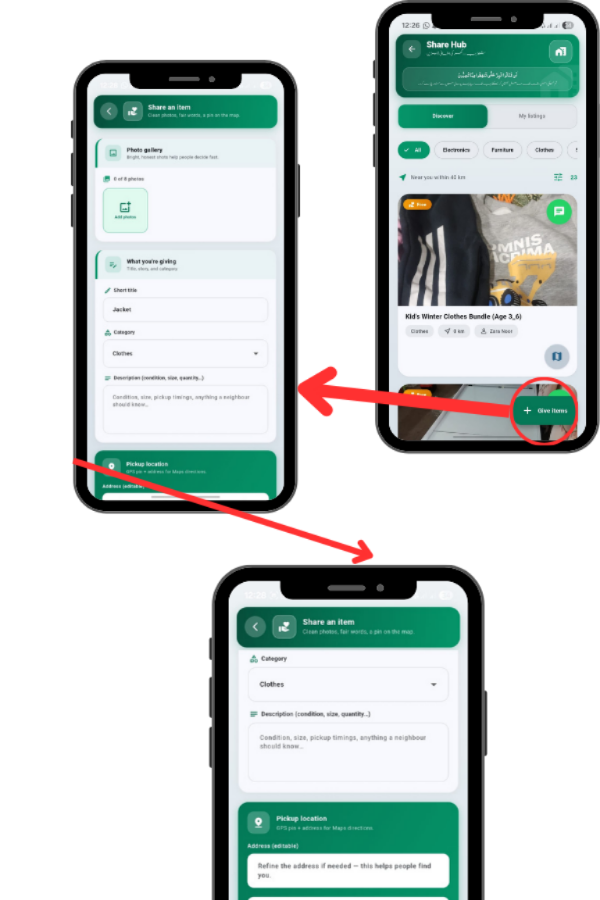
If you have items to donate, tap the ‘Give items’ button. This opens the listing form. First, tap ‘Add photos’ to upload clear pictures of the item.

Fill in the details: Title & Category: Give it a short title (e.g., ‘Jacket’) and select the category.

Description: Mention the condition, size, or any defects. Pickup Location: Use the ‘Use current location’ button to pin your address accurately.

WhatsApp: Enter your number so receivers can contact you. Once done, tap ‘Publish listing’.

86
87

Managing My Listings

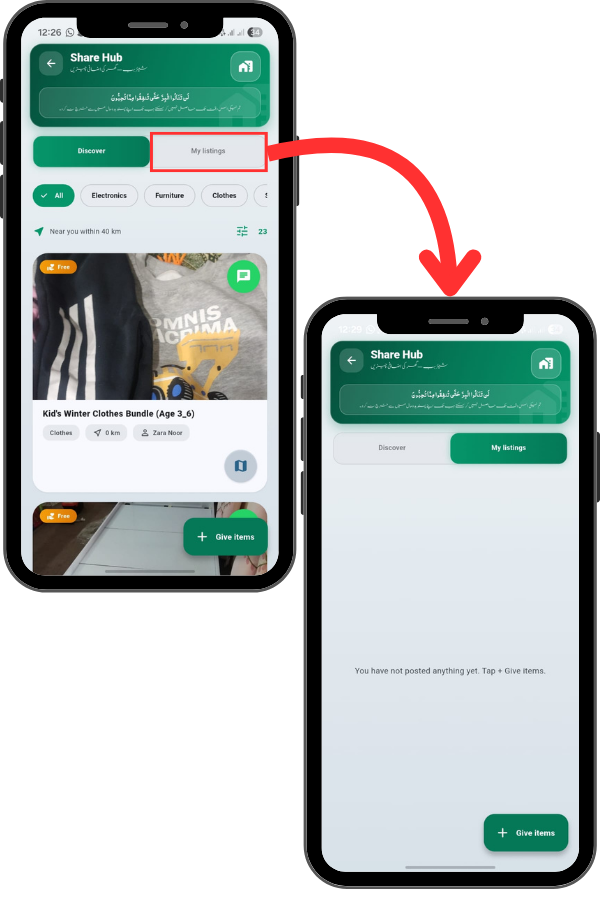
To track what you have posted, switch to the ‘My listings’ tab. If you haven’t posted anything yet, it will prompt you to tap ‘+ Give items’. Once active, you can manage or remove your listings from here.